

Updated November 21, 2026
A computer tune-up is a cleanup of the software side of your computer: what starts up with it, what’s filling the drive, what’s out of date and what’s running in the background that shouldn’t be. The goal is simple: a computer that starts, opens programs and gets through your day without the waiting.
I’m Scott Lantow at Revival Tech Solutions in Loves Park. I do tune-ups on Windows laptops and desktops, and here’s exactly how the levels work so you know what you’re paying for.
What’s in a Level 1 computer tune-up?
An RTPro Software TuneUp L1 runs $100 to $199. It’s for a computer that’s gotten slow or cluttered but isn’t badly broken. I clean up what loads at startup, clear out junk taking up space, get updates current and look for anything running in the background that’s slowing it down.
Most computers that “just got slow” land here.
What’s in a Level 2 computer tune-up?
An RTPro Software TuneUp L2 runs $200 to $400. It’s for deeper problems: slowdowns that keep coming back, updates that won’t finish, errors, or leftover junk from old programs and past infections that a basic cleanup won’t clear.
If I start a Level 1 and find it needs Level 2 work, I stop and check with you first. I don’t do extra work and hand you a bigger bill. You decide before anything changes.
What if software isn’t the whole problem?
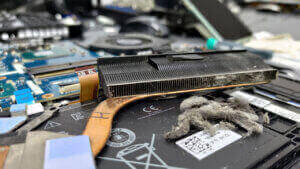
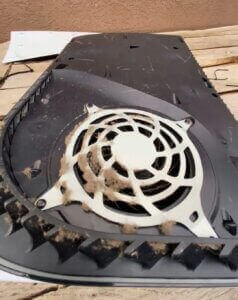
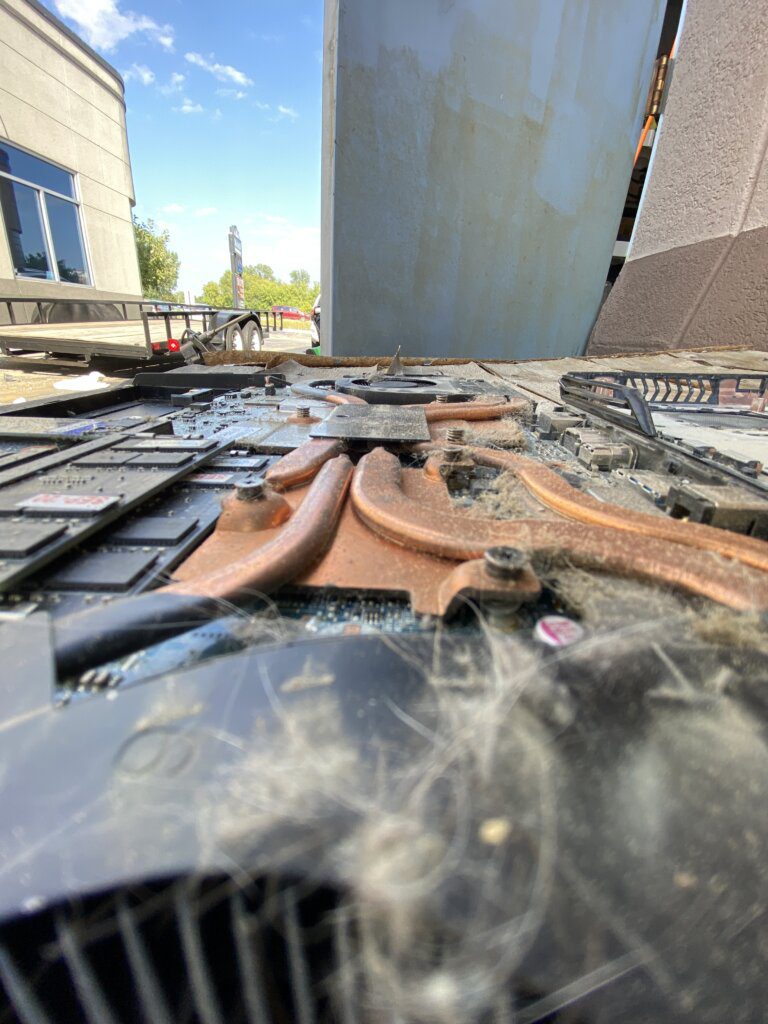
Sometimes a tune-up isn’t enough by itself. A drive that’s too small or wearing out, too little memory or a computer running hot can keep it slow after a cleanup. When that’s the case, I’ll tell you before I touch anything. That hardware work is a Full Maintenance TuneUp, and I quote it after the checkup so you know the price before I start. You only pay for what you approve.
If a full drive is part of your problem, my guide to low storage and lag explains why.
Which tune-up do I need?
You don’t have to figure that out yourself. Bring it in, tell me what it’s doing, and I’ll look at it and tell you in plain English which level it needs and what it’ll cost. There’s no diagnostic fee.
A quick rule of thumb: if it’s slow but works, it’s usually Level 1. If it’s throwing errors, won’t update or the slowdown keeps coming back, it’s more likely Level 2. If you’re not sure where to start, my post on why a computer gets slow all of a sudden walks through the usual causes.
How a tune-up works at Revival Tech
- Check in online or at the shop. A $50 deposit starts the job, and the rest is paid at pickup.
- I look it over and tell you which level it needs and what it’ll cost. Nothing gets done until you say yes.
- Most tune-ups take 2 to 4 days. Ask about expedited service if you need it started sooner. That’s usually $100 to $200 based on my workload, and it gets the work started right away, but it can’t promise a tricky problem gets fixed faster.
- You get a plain-English report of what I found and what I fixed.
If it turns out the computer can’t be fixed, I keep the $50 deposit to cover my time, and that’s it.
Computer tune-up questions
How much does a computer tune-up cost?
At Revival Tech, a Level 1 software tune-up is $100 to $199 and a Level 2 is $200 to $400. There’s no diagnostic fee, and I check with you before charging more.
How long does a computer tune-up take?
Most take 2 to 4 days. Expedited service can get it started sooner for an extra fee.
Do you tune up laptops?
Yes. I tune up Windows laptops and desktops.
Is a tune-up worth it on an older computer?
Often, yes. A lot of older computers run well again after a tune-up or a bigger drive. If yours isn’t worth the money, I’ll tell you straight.
Do I need a tune-up or virus removal?
If you’re seeing pop-ups, programs you didn’t install or a browser that changed on its own, that’s a virus removal job, not a tune-up.
Get your computer tuned up in the Rockford area
Over 11,000 customers have trusted Revival Tech with their computers over 10+ years, with a 4.8-star rating. See the full computer tune-up service, check in online, or text or call the shop at (815) 957-6533.