

Updated November 19, 2026
When a Nintendo Switch won’t turn on, it’s usually frozen on a black screen or the battery is completely drained. A forced restart and a real charge with the right charger fix a lot of them. I’m Scott Lantow at Revival Tech Solutions in Loves Park, serving the Rockford area. Here’s what to try first, and how to tell when the Switch needs a repair.
What Should You Try First When a Nintendo Switch Won’t Turn On?
Force the Switch off by holding the POWER button, then charge it for at least 30 minutes with the Nintendo charger before you decide it’s broken. Here’s the order Nintendo recommends (Nintendo Support):
- Take the Switch out of the dock.
- Unplug the charger from the wall and from the Switch, and leave it unplugged for 30 seconds.
- Hold the POWER button on the Switch for about 20 seconds, then let go.
- Plug the charger back into the wall, then into the Switch.
- Press the POWER button once.
If the screen stays black, leave it on the charger for at least 30 minutes and try again. A full charge takes about 3 hours. When the battery is completely empty, the screen can stay off and only show a charging indicator in the top-left corner for a moment, so give it time before you worry.
Could the Charger Be the Problem?
Yes, a bad or off-brand charger is one of the most common reasons a Switch won’t charge, so test the charger before you blame the console. Nintendo says unlicensed or damaged chargers can cause problems.
- Use the charger that came with the Switch, or a Nintendo replacement.
- Look for a frayed cord, a kinked cable, or a plug that feels loose.
- Plug the charger into another Nintendo device that uses the same USB-C plug, like a Pro Controller or the dock, and see if it charges.
- Try a different wall outlet.
If the charger works on everything else but the Switch still won’t charge, the problem is inside the Switch.
When Does a Switch Need a Repair?
A Switch needs a repair when it still won’t turn on or charge after a forced restart, 30 minutes on a working Nintendo charger, and a second outlet. At that point, it’s usually one of these:
A Damaged Charging Port
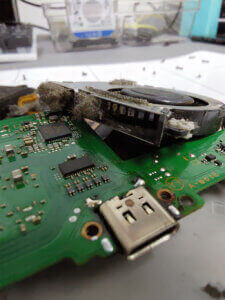
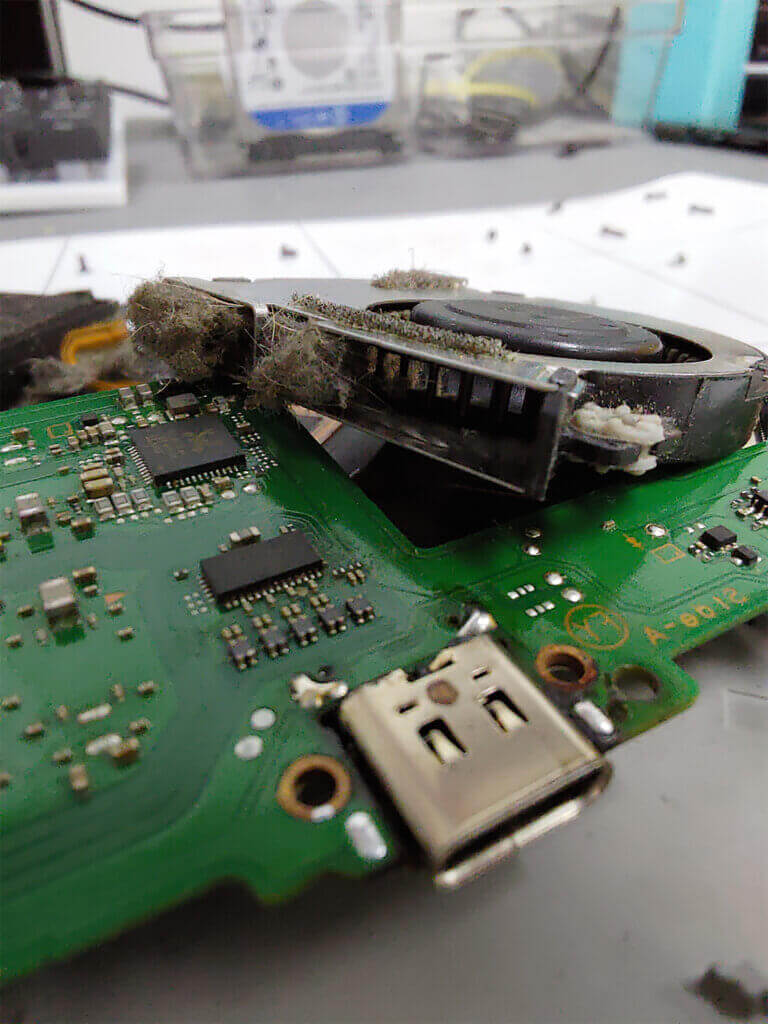
The USB-C port on the bottom of the Switch takes a lot of wear from plugging in, docking, and getting pulled at an angle. If the plug feels loose, only charges at one angle, or there’s lint packed inside, the port is a likely suspect.
A Worn-Out Battery
If your Switch dies fast, only works while it’s plugged in, or shuts off even though it showed a charge, the battery is likely worn out.
Something Deeper Inside
Drops, spills, and off-brand chargers or docks can damage the parts inside that control charging and power. That takes a proper diagnosis, and I’ll tell you what I find and whether it’s worth fixing.
For parts, a new part is generally the best choice. When a used part makes sense and you’d like to keep the cost down, I’ll tell you that too, and you decide.
Which Switch Models Do You Repair?
I repair the Nintendo Switch, Switch OLED, and Switch 2 at my shop in Loves Park. The steps above work on all of them. If you have a Switch Lite, skip the dock step.
If the problem is a drifting Joy-Con instead of the console, my stick drift repair guide covers that, and the Switch repair in Rockford page covers more. For PlayStation, Xbox, and Switch work in one place, see game repair in Rockford.
How Switch Repair Works at the Shop
You check in, bring the Switch to Loves Park, get a quote with no diagnostic fee, and I do the repair myself in house.
Check In
Start a repair ticket online, or text or call (815) 957-6533 and tell me what the Switch is doing. Bring the charger with you so I can test it too.
Drop Off
Bring your Switch to 4162 N Perryville Rd in Loves Park. A $50 deposit starts the job, and you get a quote before any repair work begins.
Pick Up
Most console repairs start in 3 to 6 days and are done in about a week, sometimes two. After the job, you get a plain-English report of what I found and what I did.
Switch Won’t Turn On Questions
Why Is My Switch Screen Black but the Game Sound Still Plays?
If you can hear the game but the screen stays black, the Switch may be frozen with the screen off, or the screen or its connection may be the problem. Try holding POWER for about 20 seconds and turning it back on. If the picture still doesn’t come back, bring it in and I’ll take a look.
Why Does My Switch Only Work When It’s Plugged In?
A Switch that only runs on the charger usually has a worn-out battery or a charging problem inside. I’ll test it first so you’re not paying for the wrong part.
Can a Cheap Charger or Dock Damage a Switch?
It can. Nintendo says unlicensed chargers may not work right with the Switch. If your Switch stopped charging right after you used a new charger or dock, stop using it and bring the Switch and that charger in.
Is It Worth Fixing an Old Switch?
Most of the time, yes. If yours isn’t worth fixing, I’ll tell you that before you pay for a repair.
Get Your Switch Back On
If your Switch still won’t turn on or charge, bring it and its charger to my shop at 4162 N Perryville Rd in Loves Park. I’ve been fixing consoles and computers here for 10+ years for over 11,000 customers, and I’m rated 4.8 stars. There’s no diagnostic fee, and the repair stays in house. You can also text or call (815) 957-6533.
Revival Tech Solutions, 4162 N Perryville Rd, Loves Park, IL 61111