

Updated November 19, 2026
PS5 overheating and loud fan noise usually come from one of three things: the console is boxed in, the vents are blocked, or dust has packed into the cooling system inside. The first two you can fix at home in a few minutes. I’m Scott Lantow at Revival Tech Solutions in Loves Park, serving the Rockford area, and here’s how to tell which one you have and when to bring it in.
Why Is My PS5 So Loud and Hot?
A PS5 gets loud when its fan has to spin hard to move heat out, and it gets hot when the air can’t flow through it fast enough. The fan is doing its job. Something is just making that job harder.
- It’s in a closed cabinet or a tight shelf with no room around it.
- It’s sitting on carpet or a rug, or something is covering the vents.
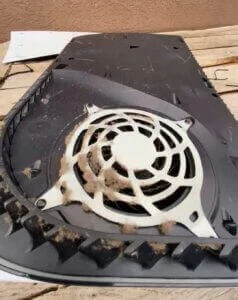
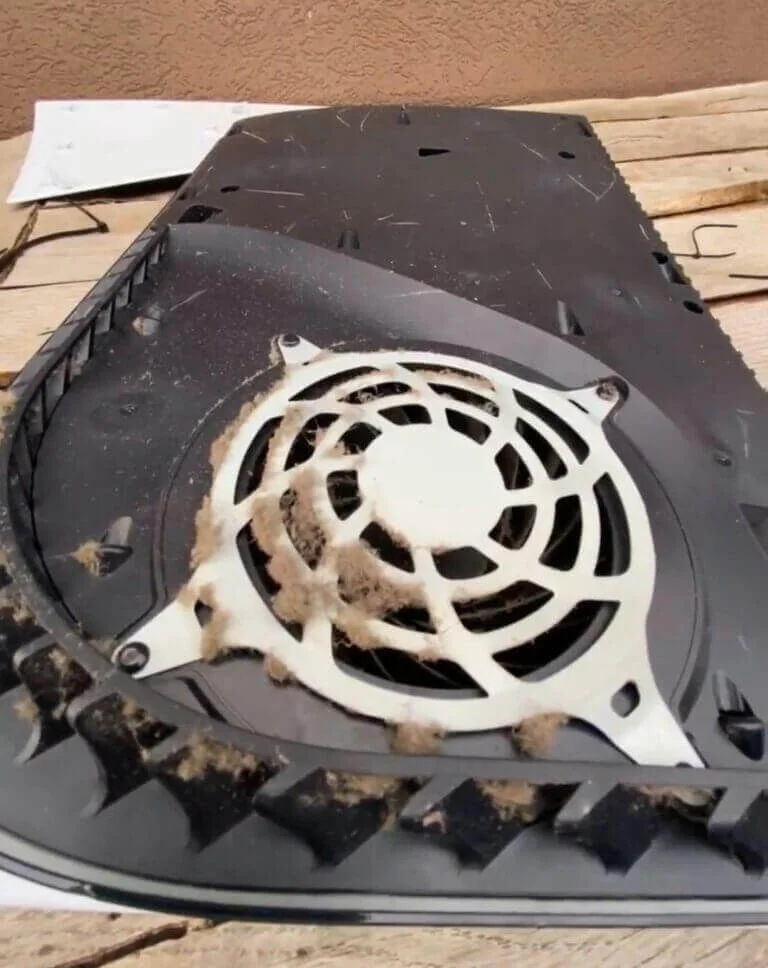
- Dust and pet hair have built up on the vents and under the covers.
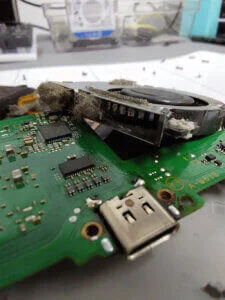
- Dust has packed into the heatsink inside, which you can’t reach without opening the console.
- An added M.2 SSD lost its heat parts, or the cover isn’t seated right.
A loud fan during a demanding game is normal. A fan that roars on the home screen, a console that feels hot on top, or a PS5 that shuts itself off are the signs that something needs attention.
What Should You Do When the PS5 Says It’s Too Hot?
When a PS5 shows the “too hot” message, turn it off and let it cool down completely before you use it again. Sony warns that playing through that message can stop the console from working (PS5 Safety Guide).
Turn it all the way off, not into rest mode, and wait for the power light to go out before you unplug anything. Once it’s cool, move it somewhere with open air around it before you turn it back on.
How Do You Stop a PS5 From Overheating at Home?
Give the PS5 open space, keep it off carpet and out of cabinets, and clean the dust off the vents and under the covers. These are the same steps Sony gives in its own guide:
- Place it at least 10 cm (about 4 inches) from the wall, with open space around the sides and back.
- Take it out of any closed cabinet or tight shelf, and keep it off rugs and carpet.
- Don’t set anything on it or cover it, including a blanket, a towel or a game case.
- Turn it off, unplug it and let it cool before you clean it.
- Use a handheld vacuum on the vents. Then take the white covers off and vacuum the dust underneath.
- Put the covers back on firmly. A loose cover can make it run hotter.
- If you added an M.2 SSD, check that its cooling parts are still attached.
Skip the strong vacuum, the liquids and the wet wipes, and don’t try to take the fan or the heatsink apart. If those steps didn’t quiet it down, the dust is deeper inside than a vacuum can reach.
When Does a PS5 Need a Cooling Repair?
Bring your PS5 in if it still runs loud or hot after you’ve moved it and cleaned the vents, if the “too hot” message keeps coming back, or if it shuts off during light use like menus or streaming. Those signs usually mean dust is packed into the heatsink, or a cooling part isn’t doing its job.
At my Loves Park shop, I open the console, clean the cooling system from the inside, and check the parts that move the heat out. If a part needs replacing, I tell you first and quote it before I do it. New parts are usually the best choice. When a used part makes sense and you’d like to keep the cost down, I’ll tell you that too.
A strange smell, a grinding or rattling fan, or a console that won’t turn back on after it shut down are reasons to stop using it and bring it in now rather than later. If yours won’t turn on at all, my PS5 repair in Rockford page covers power problems too.
Is It the Same for an Xbox Series X?
Yes, an Xbox Series X or Series S that runs loud or overheats usually has the same causes as a PS5: not enough open space around it, blocked vents, or dust packed inside. Give it room to breathe, keep the vents clear, and if it still overheats or shuts off, I clean and repair Xbox cooling at the same shop. See Xbox repair in Rockford. For PlayStation, Xbox, and Switch work in one place, see game repair in Rockford.
How PS5 Repair Works at the Shop
You check in, bring the console to Loves Park, get a quote with no diagnostic fee, and I do the repair myself in house.
Check In
Start a repair ticket online, or text or call (815) 957-6533 and tell me what the console is doing.
Drop Off
Bring your PS5 to 4162 N Perryville Rd in Loves Park. A $50 deposit starts the job, and you get a quote before any repair work begins.
Pick Up
Most console repairs start in 3 to 6 days and are done in about a week, sometimes two. After the job, you get a plain-English report of what I found and what I did.
PS5 Overheating Questions
Is It Bad if My PS5 Fan Is Loud?
A loud fan during a big game is normal, but a fan that stays loud on the home screen or keeps getting louder over time usually means the PS5 is working too hard to stay cool. Start with open space and a vent cleaning. If it’s still loud, have the inside cleaned.
Why Does My PS5 Keep Shutting Off?
A PS5 that turns itself off during a game is often protecting itself from heat. If the shutdowns keep happening after you’ve given it room and cleaned the vents, or it shuts off while it’s cool, bring it in so I can find out whether it’s heat, power, or something else.
Can I Clean the Inside of My PS5 Myself?
You can safely vacuum the vents and the area under the white covers yourself. Cleaning the heatsink and fan means taking the console apart, and that’s the part I’d leave to the shop, because it’s easy to damage a cable or a cooling part in there.
Should My PS5 Stand Up or Lie Flat?
The PS5 is built to run either way. What matters more is open space around it, a hard flat surface, and clear vents.
How Much Does PS5 Repair Cost?
Most PS5 repairs at Revival Tech Solutions in Loves Park run $120 to $300, and there is no diagnostic fee. A $50 deposit starts the job, and you get a quote before any repair work begins.
Get Your PS5 Cool and Quiet Again
If your PS5 is loud, hot, or shutting off, bring it to my shop at 4162 N Perryville Rd in Loves Park. I’ve been fixing consoles and computers here for 10+ years for over 11,000 customers, and I’m rated 4.8 stars. There’s no diagnostic fee, and the repair stays in house, not in a shipping box. You can also text or call (815) 957-6533.
Revival Tech Solutions, 4162 N Perryville Rd, Loves Park, IL 61111